Frederick (Freddy) Case
Databases: CS 340 Grazioso Salvare Dashboard
Code
Before and After The Enhancements
Before: The database username and password was written directly in the dashboard code within a public repository. The password has since been changed and is shown here as REDACTED.
username = "aacuser"
password = "REDACTED"

# Connect to database via CRUD Module
db = AnimalShelter(username, password)
After: Credentials are loaded from a .env file that is never uploaded. The dashboard connects with a read-only account.
load_dotenv()

# Load the read-only AAC Reader credentials
username = os.getenv("AAC_READ_USER")
password = os.getenv("AAC_READ_PASS")

if not username or not password:
    raise ValueError("Missing AAC_READ_USER or AAC_READ_PASS in the .env file")

# Connect with the read-only account
db = AnimalShelter(username, password)
Breed counts now run inside MongoDB with an aggregation pipeline nowinstead of sending each record to Python:
pipeline = [
    {"$match": query},
    {"$group": {"_id": "$breed", "count": {"$sum": 1}}},
    {"$sort": {"count": -1}},
    {"$limit": limit},
]
Index Results (Water Rescue Filter)
| Documents Examined | Matches Returned | |
|---|---|---|
| Before index | 10,000 | 17 |
| After index | 17 | 17 |
Enhanced Files
- ProjectTwoDashboard.ipynb - Interactive dashboard that filters AAC shelter animals by their rescue type. Shows the results in a table, breed chart, and map.
- CRUD_Python_Module.py - Create, read, update, and delete operations for the AAC MongoDB collection. Added a breed count aggregation pipeline.
- setup_indexes.py - A one-time setup script that creates the index used by the rescue filters by using the admin account.
- .env.example - Template showing which credentials the project needs with placeholder values.
- .gitignore - Keeps the real .env file and local environment folders out of GitHub.
Original Files
- ProjectTwoDashboard.ipynb - The original CS 340 dashboard.
- CRUD_Python_Module.py - The original CRUD module.
Narrative
Artifact Description
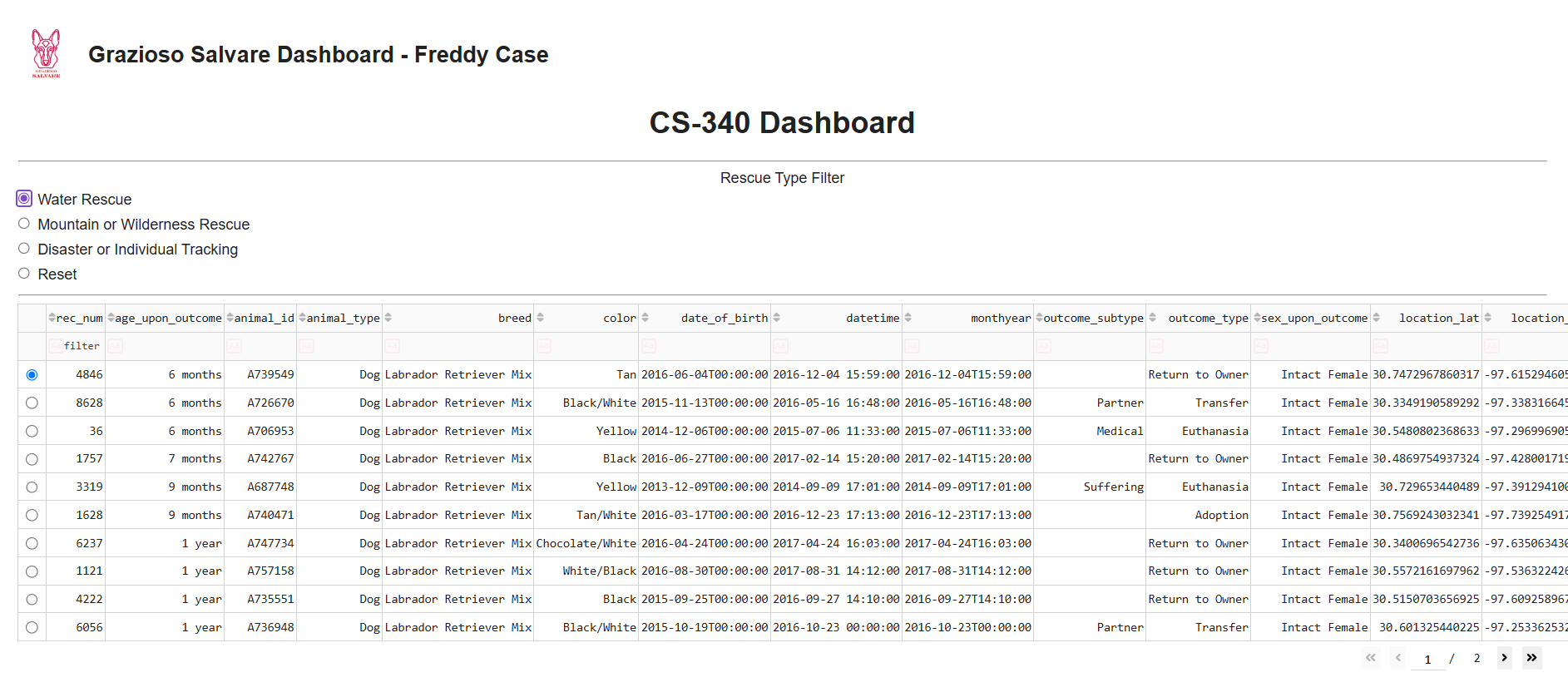
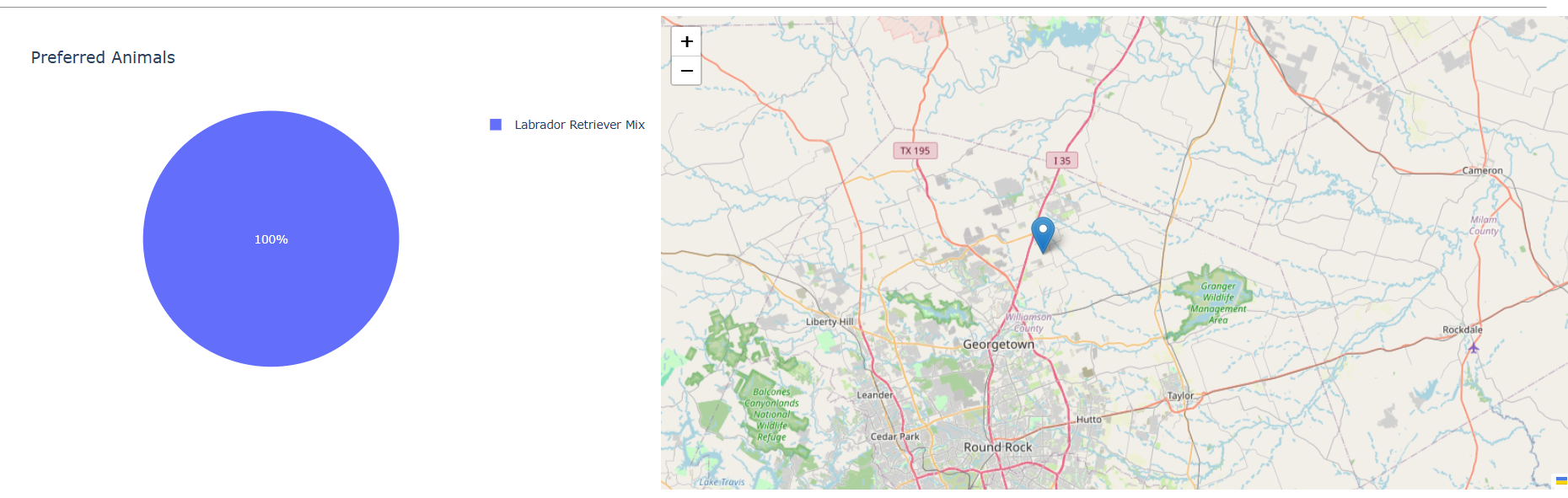
The artifact that I chose for the database category is my Grazioso Salvare Dashboard from CS 340: Client/Server Development. I took this class last year, and the project was submitted in December 2025. It is a Python dashboard built with Dash and connects to a MongoDB database of animals from the Austin Animal Center. A user can filter the animals by rescue type, select and view the search results in a table, see the results in a pie chart for the most common breeds, and see where a selected animal is on a map.
Justification for Inclusion
I selected this artifact because when I first took this class, I had little experience with databases. The dashboard in the project worked, but I didn’t understand how it used its database, or the security and performance problems that it had. This enhancement was a chance for me to go back to a working codebase and improve how it connects to and utilizes MongoDB. In it, the database username and password were hardcoded, and the repository was public so anybody could read them. Before I could include the original files, I replaced the old password with REDACTED to ensure the password couldn’t be found moving forward.
My first enhancement to this artifact moved the credentials to a .env file which is excluded from GitHub. I then created a read-only database account for the dashboard, since it only reads data and that account should not be able to edit or delete anything. When I tested that account, it was still able to write to the database. It turned out my local MongoDB was only checking to see if the passwords were correct and not enforcing what each account had access to. I created a separate admin account, turned on access control, and then tested again. Once corrected, MongoDB rejected the write with an Unauthorized error. I also wrote in some code to report why an operation failed instead of every failure just returning a False.
For improving the performance, I added an index on the fields the rescue filters search by. Before the enhancement, the water rescue filter made MongoDB examine all 10,000 documents to find 17 matches. After the index, it only examined those 17 documents. I also replaced the breed chart’s counting code with a MongoDB aggregation pipeline. Before, the dashboard sent every matching record to Python, then counted the breeds in pandas. Now, MongoDB does all the counting and only sends back the top 10 totals.
While enhancing this artifact, I fixed the map, which crashed when some animals were missing a name. It originally pulled values by column number, so a missing column shifted everything over so that the data didn’t line up. Now, the program looks up the values through the column name. Also, I replaced a deprecated package the dashboard originally depended on but is no longer needed.
Course Outcomes
For this artifact enhancement, I originally planned on meeting outcomes four and five and I believe that I met both. For outcome four I used standard database practices by adding an aggregation pipeline and by utilizing indexing. I also made sure to measure the improvement so that I was certain that improvements were made. For outcome five, I removed hardcoded credentials and applied the principle of least privilege by adding a read-only account. I also turned on access control so that those permissions are enforced and kept sensitive information out of the public repository by utilizing a .gitignore file.
Reflection
In my opinion, the hardest part of enhancing this artifact was turning on access control within MongoDB. After turning on security and editing the configuration file, the database server wouldn’t start and Compass stopped working. Initially I thought that my data was gone within the database. It turned out that I hadn’t properly implemented the security setting within the databases files, which caused MongoDB to not read the file properly and not start at all. I also learned in this process that I needed to create an internal admin account before turning on the access control, or I could have locked myself out of managing the database completely. If I were to enhance this app further, I would turn it into a full stack application, similar to the MEAN stack app I built in CS 465. A backend API would sit between the dashboard and MongoDB, so the frontend would never connect to the database. Users would log in with their own accounts and have different roles, like basic users who can read only or admins that can edit records.
When I first built this dashboard, I did not know as much as I know now about secure coding, aggregation pipelines, indexing, user roles, or how to run an app through a database. I have learned a lot since then, and going back to this project showed me how much I have grown during the program. It is also a reminder that I still have a lot to learn in terms of software engineering and that getting to this point in my software engineering journey is just the beginning.
The feedback that I received from my instructor states that my enhancement was strong and that it focused on database concerns like security, query efficiency, aggregation, and performance. It also pointed out that moving the credentials into environment variables and using PyMongo specific error handling improved the maintainability and reliability of the code. The feedback also noted that the aggregation pipeline was strong since it moved the counting into MongoDB instead of sending every record to Python. No changes were requested from my instructor, which confirmed that my enhancements were sufficient.
While preparing the final version of this enhanced artifact for my ePortfolio, I reviewed my code again and found that the dashboard was still connecting with the admin account. Even though it was it was loading the read-only credentials, I fixed the code so that the dashboard only connects with the read-only account. The admin account is only used by the setup script that creates the index. The final code review showed me that it is important to check the code before submitting to ensure that it matches the security design and the documentation.